Arc Pro B60: slicing a GPU with SR-IOV on a consumer board
24 GB, cut to order
I was recently looking for a graphics card with a lot of memory at a “reasonable” price, two things that rarely come together these days. My goal was to see what the alternatives to NVIDIA have to offer in late 2026: software, supported models, performance.
I found one at Intel: the Arc Pro B60, a chip of the Battlemage generation with 24 GB of GDDR6, a peak of 197 INT8 TOPS and a 200 W power limit. It is no monster: same chip as the Arc B580 (12.28 FP32 TFLOPS), slower in games than a GeForce RTX 5060 or a Radeon RX 9060 XT.
But such cards now cost around 600 euros with 8 GB, 900 with 16 GB, and stop there. For a lab, the B60’s mix of performance, power draw and price seemed to add up more nicely. I paid around 800 euros. The same retailer now asks about 1,200 euros for it: a good deal, I suppose.
And there is a bonus for infrastructure geeks: the Arc Pro B60 can be sliced into several virtual GPUs. Each of them can be assigned to a virtual machine, with no extra software and no licence. But does this work on a consumer motherboard? Let’s give it a try!
The test bench
The machine used for this post, part by part:
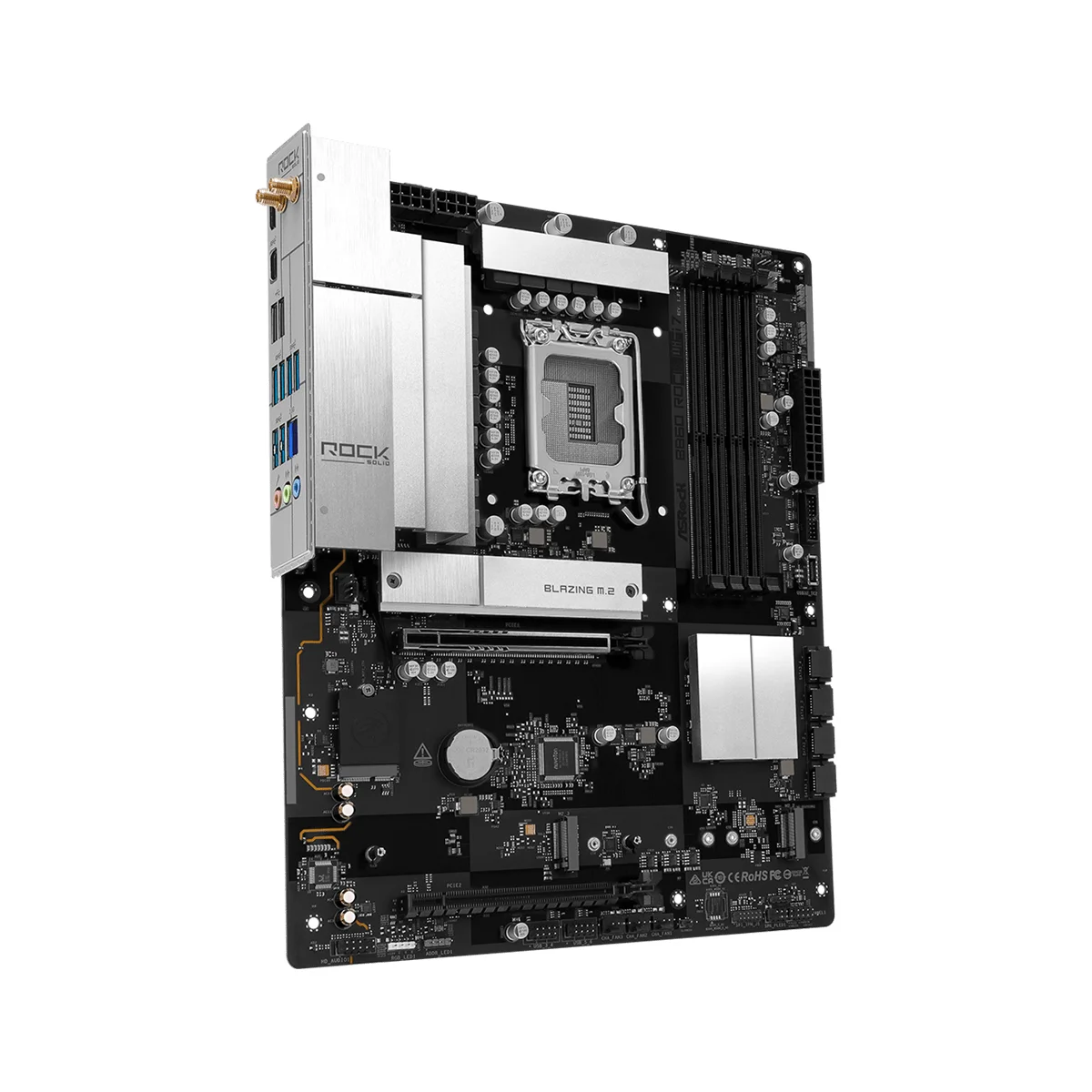
- ASRock B860 Rock WiFi 7, BIOS 3.40
- Intel Core Ultra 7 270K Plus, 8+16 cores
- 2 x 16 GB of DDR5 (ADATA AX5U6000C4016G-B)
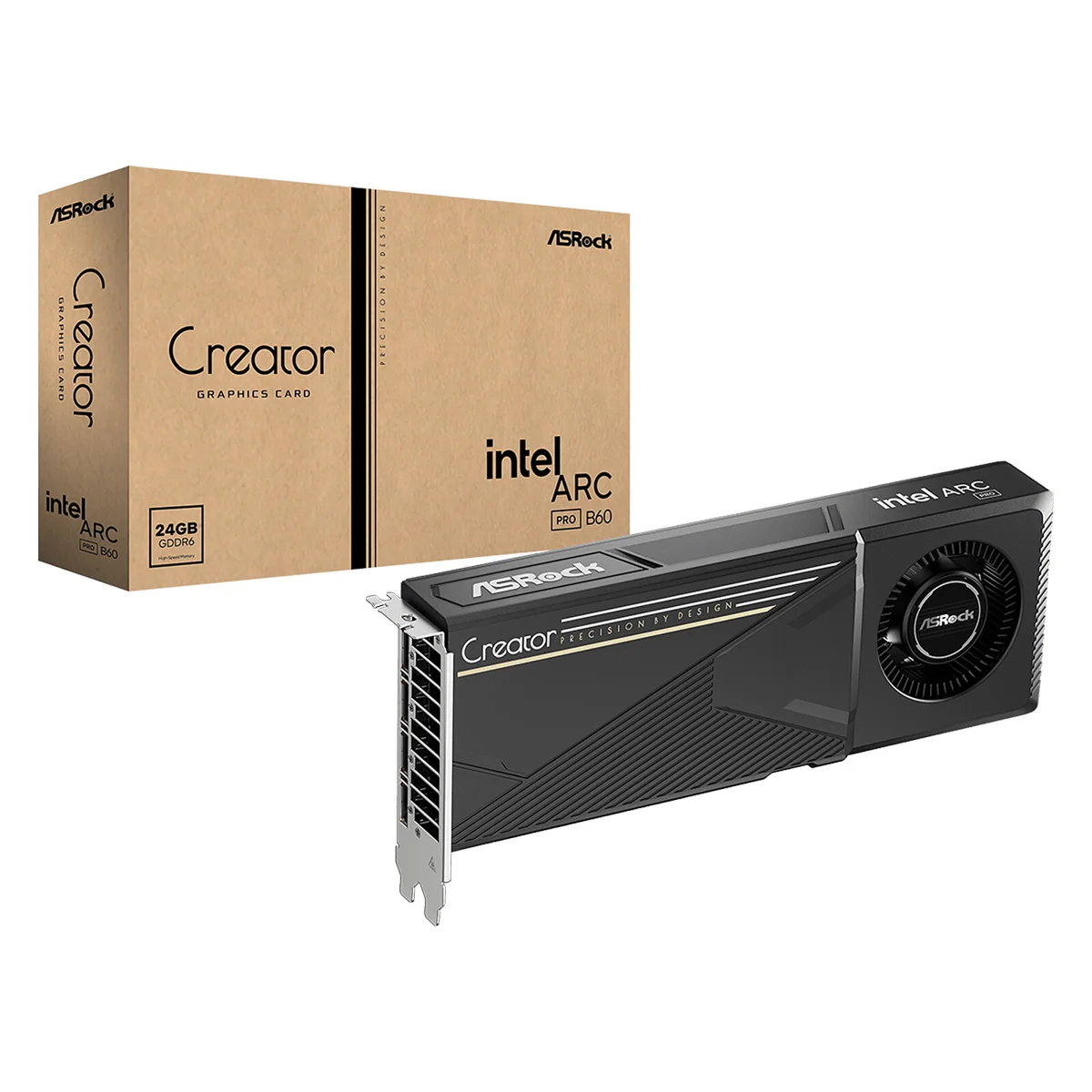
- ASRock Intel Arc Pro B60 Creator 24GB
- PNY CS3140 1 TB, NVMe
- Corsair RM750e (2025)
- Debian 13.7
Full disclosure: the board, the processor and the graphics card come from ASRock and Intel, but neither of them sponsored this post. Everything here is my own hardware, bought at retail with my own money.
First, a kernel that knows it
Debian 13.7 ships a 6.12 kernel, and it does nothing with the card. The card sits on the PCI Express (PCIe) bus with no driver and no error message. The xe driver knows the family, but not this model, 8086:e211 in vendor and device IDs. Ask each installed kernel:
# how many aliases of the xe module match this PCI ID, per kernel
$ modinfo -k 6.12.116+deb13-amd64 xe | grep -i -c d0000E211
0

$ modinfo -k 7.2.12+deb13-amd64 xe | grep -i -c d0000E211
1
-k picks the kernel to look into, d0000E211 is how a module alias spells the device ID, and grep -c counts the matching lines. With no alias, the module is never loaded.
The fix is the kernel from trixie-backports, Debian’s repository of newer packages for its stable release, with the matching firmware:
# add backports, then take the kernel and the GPU firmware from it
echo 'deb http://deb.debian.org/debian trixie-backports main non-free-firmware' \
  | sudo tee /etc/apt/sources.list.d/backports.list
sudo apt update

sudo apt install -t trixie-backports linux-image-amd64 firmware-intel-graphics
-t tells apt which release to prefer, for this command only. One reboot later, the driver attaches on its own and says what it is ready for. With lspci, -nn adds the numeric IDs, -k the driver, and -s picks the device by its address:
$ lspci -nnk -s 03:00.0 | grep -E 'VGA|driver'
03:00.0 VGA compatible controller [0300]: Intel Corporation Battlemage G21 [Intel Graphics] [8086:e211]
	Kernel driver in use: xe

$ sudo dmesg | grep 'SR-IOV'
[    1.938716] xe 0000:03:00.0: [drm] Running in SR-IOV PF mode
24 slices, on paper
SR-IOV comes from network cards: one PCIe device, the physical function or “PF”, creates virtual ones, the VFs. Each is a PCI device of its own, with a share of the memory. lspci -vv, its most verbose mode, lists what is on offer:
$ sudo lspci -vv -s 03:00.0 | grep -E 'Resizable BAR|current size|Total VFs'
	Capabilities: [420 v1] Physical Resizable BAR
		BAR 2: current size: 32GB, supported: 256MB 512MB 1GB 2GB 4GB 8GB 16GB 32GB
	Capabilities: [220 v1] Virtual Resizable BAR
		BAR 2: current size: 2GB, supported: 256MB 512MB 1GB 2GB 4GB 8GB 16GB 32GB
		Initial VFs: 24, Total VFs: 24, Number of VFs: 0, Function Dependency Link: 00
Up to 24 VFs, then. A BAR, for Base Address Register, sets the range of addresses through which the system reaches a device’s memory. Its size is always a power of two. The card holds 24 GB, too much for a 16 GB BAR, so it gets the next value, 32 GB. Each VF starts with 2 GB.
Asking for VFs takes one write, the number you want:
$ echo 1 | sudo tee /sys/bus/pci/devices/0000:03:00.0/sriov_numvfs
1
tee: '/sys/bus/pci/devices/0000:03:00.0/sriov_numvfs': Cannot allocate memory
It fails, and the kernel log says why. MMIO is the address space of the BARs:
xe 0000:03:00.0: not enough MMIO resources for SR-IOV
xe 0000:03:00.0: [drm] PF: Failed to enable 1 VF (-ENOMEM)
The problem started at boot. The kernel reserves the addresses of all possible VFs, 24 times 2 GB, in one block. cut strips the timestamps, sort -u folds the duplicates:
$ sudo dmesg | grep 'VF BAR 2' | cut -c16- | sort -u
pci 0000:03:00.0: VF BAR 2 [mem 0x00000000-0x7fffffff 64bit pref]
pci 0000:03:00.0: VF BAR 2 [mem 0x00000000-0xbffffffff 64bit pref]: contains BAR 2 for 24 VFs
pci 0000:03:00.0: VF BAR 2 [mem size 0xc00000000 64bit pref]: can't assign; no space
pci 0000:03:00.0: VF BAR 2 [mem size 0xc00000000 64bit pref]: failed to assign
The PCI bridge above the card gets a window of about 80 GB, enough on paper. But the card’s own 32 GB land in the middle of it, leaving 16 GB below and 32 GB above. Neither holds 48 GB.
The board is of no help. Its manual has no word on SR-IOV, and with the latest BIOS, 3.40, enabling the “SR-IOV Support” option does not change that layout. Neither does pci=realloc, the kernel parameter that lets Linux redo the firmware’s work.
One register to make it fit
The “Virtual Resizable BAR” above is the way out: the size of a VF’s BAR can be changed, and 24 times 1 GB fits in the free 32 GB block. lspci showed that capability at offset 220, and its control register is 8 bytes further:
$ sudo setpci -s 03:00.0 228.L
00000b22
setpci reads and writes PCI configuration registers, here 4 bytes (.L) at 228. The 0b is the size: 11, counted in powers of two from 1 MB, so 2 GB. The 22 says which BAR and must stay as it is. Writing 0a asks for 1 GB.
The kernel will not notice until the card leaves the bus and comes back:
D=/sys/bus/pci/devices/0000:03:00.0

# keep the card awake and detach its driver
echo on | sudo tee $D/power/control
echo 0000:03:00.0 | sudo tee /sys/bus/pci/drivers/xe/unbind

# 1 GB per VF, then remove the card from the bus and scan it again
sudo setpci -s 03:00.0 228.L=00000a22
echo 1 | sudo tee $D/remove
echo 1 | sudo tee /sys/bus/pci/rescan
The first two lines matter. An idle card sleeps, and on wake-up the kernel restores the registers it saved, 2 GB included. After the scan, the driver is back and the log shows:
pci 0000:03:00.0: VF BAR 2 [mem 0xb800000000-0xbdffffffff 64bit pref]: assigned$D is reused in every block below. Asking for two VFs now works:
$ echo 2 | sudo tee $D/sriov_numvfs
2

$ lspci -nn -s 03:00
03:00.0 VGA compatible controller [0300]: Intel Corporation Battlemage G21 [Intel Graphics] [8086:e211]
03:00.1 VGA compatible controller [0300]: Intel Corporation Battlemage G21 [Intel Graphics] [8086:e211]
03:00.2 VGA compatible controller [0300]: Intel Corporation Battlemage G21 [Intel Graphics] [8086:e211]
03:00.1 and 03:00.2 are the VFs. Each sits in its own IOMMU group. The IOMMU confines a device to the memory it is allowed to reach, and a group is the smallest set it can isolate.
That is what allows handing one VF to a virtual machine and keeping the rest. Intel calls its IOMMU VT-d, and it was active here with no kernel option.
The driver splits the memory without being asked: 8 GB for a single VF, 4 GB each for two. It also grows their BAR again, to the largest size that fits that many times in the 24 GB block reserved above: 16 GB for one VF, 8 GB for two. That detail matters later.
Hand one to a guest
To give a VF to a guest, the host must not use it. It goes to vfio-pci, the driver that holds a device for a virtual machine:
sudo modprobe vfio-pci

# the count can only change from zero: one VF, left alone by xe
echo 0 | sudo tee $D/sriov_numvfs
echo 0 | sudo tee $D/sriov_drivers_autoprobe
echo 1 | sudo tee $D/sriov_numvfs

# give it to vfio-pci
echo vfio-pci | sudo tee /sys/bus/pci/devices/0000:03:00.1/driver_override
echo 0000:03:00.1 | sudo tee /sys/bus/pci/drivers_probe
QEMU 10, the one from Debian, takes it from there as a systemd unit, with no libvirt:
sudo systemd-run --unit=vm-gpu --working-directory=$PWD qemu-system-x86_64 \
  -machine q35,accel=kvm -cpu host,host-phys-bits=on -smp 8 -m 12G \
  -drive if=pflash,format=raw,readonly=on,file=/usr/share/OVMF/OVMF_CODE_4M.fd \
  -drive if=pflash,format=raw,file=OVMF_VARS.fd \
  -drive file=disk.qcow2,if=virtio,format=qcow2 \
  -drive file=seed.img,if=virtio,format=raw \
  -netdev user,id=n0,hostfwd=tcp:127.0.0.1:2222-:22 -device virtio-net-pci,netdev=n0 \
  -device pcie-root-port,id=rp1,chassis=1,slot=1 \
  -device vfio-pci,host=0000:03:00.1,bus=rp1 \
  -fw_cfg name=opt/ovmf/X-PciMmio64Mb,string=65536 \
  -display none -serial file:console.log
OVMF is the UEFI firmware of the guest, disk.qcow2 a Debian 13 cloud image and seed.img its cloud-init settings. Three lines count: the VF sits behind a PCIe root port, like a real card, and X-PciMmio64Mb gives the guest firmware 64 GB of 64-bit address space for the VF’s BAR.
The guest needs the same backports kernel. One trap: the genericcloud image boots the “cloud” flavour of the kernel, built without xe, and keeps booting it after the install. GRUB’s default entry has to point to the generic one. The guest log then shows a GPU of its own:
xe 0000:01:00.0: [drm] Running in SR-IOV VF mode
xe 0000:01:00.0: [drm] VRAM[0]: Actual physical size 0x0000000200000000, usable size exclude stolen 0x0000000200000000, CPU accessible size 0x0000000200000000
0x200000000 is 8 GB. Mesa from Debian stable is enough for Vulkan, the graphics and compute API, and llama.cpp runs a 7B model there at 28 tokens per second. Built for SYCL, the standard behind Intel’s oneAPI, it reaches 79 in the same slice.
Three slices, three models
The shares do not have to be equal. Each VF has a vram_quota, in bytes, to set before the VFs are created. Stop the guest and go back to zero first:
echo 0 | sudo tee $D/sriov_numvfs
G=$((1024*1024*1024))

# 10, 8 and 4 GB for the first three VFs
echo $((10*G)) | sudo tee $D/sriov_admin/vf1/profile/vram_quota
echo $((8*G)) | sudo tee $D/sriov_admin/vf2/profile/vram_quota
echo $((4*G)) | sudo tee $D/sriov_admin/vf3/profile/vram_quota

echo 3 | sudo tee $D/sriov_numvfs
The kernel log confirms each share, LMEM being the driver’s name for the card’s own memory:
xe 0000:03:00.0: [drm] PF: Tile0: GT0: VF1 provisioned with 10737418240 (10.0 GiB) LMEM
xe 0000:03:00.0: [drm] PF: Tile0: GT0: VF2 provisioned with 8589934592 (8.00 GiB) LMEM
xe 0000:03:00.0: [drm] PF: Tile0: GT0: VF3 provisioned with 4294967296 (4.00 GiB) LMEM
xe 0000:03:00.0: [drm] PF: Enabled 3 of 24 VFs
The three VFs go to vfio-pci as before, and three virtual machines get one each, with a different model served by llama.cpp. The same request, 256 tokens to generate, went to one guest, then two, then all three at once. The results are in tokens per second:
| Slice | Model | Alone | Two | Three |
|---|---|---|---|---|
| 10 GB | Mistral Nemo 12B, Q4 | 18.6 | 15.2 to 15.8 | 13.3 |
| 8 GB | Qwen2.5 7B, Q4 | 77.2 | 40.9 to 41.1 | 28.0 |
| 4 GB | Qwen2.5 1.5B, 16-bit | 89.2 | 44.1 to 47.6 | 30.9 |
Memory is partitioned, computing time is not: the card gives each busy slice an equal turn, whatever its size. Two guests working get half of it each, three get a third, and an idle guest costs nothing to the others.
The first row drops less because its request lasts longer: once the two others are done, it has the card to itself. Its low figures have two causes: a larger model, and Vulkan in place of SYCL, the fast path seen above.
Vulkan was not a choice. With three VFs, each gets an 8 GB BAR: the largest that fits three times in 24 GB. A 10 GB slice behind an 8 GB BAR is a “Small BAR device” for the guest kernel, and Intel’s compute runtime, its OpenCL driver, refuses it:
WARNING: Resizable BAR not detected for device 0000:01:00.0
OpenCL and SYCL then see no GPU at all, while Mesa’s Vulkan driver works.
To use Intel’s backends, no slice should be larger than its BAR. By the same rule, four to six VFs would get 4 GB each, but I did not try.
A workaround, with limits
Nothing here survives a reboot. The register goes back to 2 GB, so the sequence must run again before any VF is created. A systemd unit, /etc/systemd/system/vf-bar.service, does it at boot:
[Unit]
Description=Shrink the VF BAR of the Arc Pro B60 before any VF is created
Wants=systemd-udev-settle.service
After=systemd-udev-settle.service

[Service]
Type=oneshot
RemainAfterExit=yes
Environment=GPU=0000:03:00.0
ExecStart=/bin/sh -c "echo on > /sys/bus/pci/devices/$GPU/power/control"
ExecStart=-/bin/sh -c "echo $GPU > /sys/bus/pci/drivers/xe/unbind"
ExecStart=/usr/bin/setpci -s $GPU 228.L=00000a22
ExecStart=/bin/sh -c "echo 1 > /sys/bus/pci/devices/$GPU/remove"
ExecStart=/bin/sh -c "echo 1 > /sys/bus/pci/rescan"

[Install]
WantedBy=multi-user.target
oneshot runs the commands once, in order, and udev-settle makes the unit wait until the hardware is detected. The - lets the unbind fail when the driver is not attached yet.
Enable it, and the next boot does the work:
sudo systemctl daemon-reload
sudo systemctl enable vf-bar.service
After a reboot, the log showed the VF BAR assigned three seconds into the boot, and two VFs came up at the first try.
Writing PCI registers by hand is not harmless either. Take the offset from your own lspci output, and check that the read ends in 22 before writing. Secure Boot was off here: with it on, the kernel’s lockdown refuses the write.
Detaching the driver also takes the card away from whatever uses it, a desktop session or a running job. No harm here: the machine is headless, reached over SSH, and the processor’s integrated GPU holds the console.
I stopped at three VFs. The card announces 24, and that would leave less than 1 GB for each. All of this is also one board, one BIOS and one card firmware.
And the sharing of computing time is the default one. Next to vram_quota, each VF has an exec_quantum_ms and a sched_priority. I have not touched them yet, but that is another story.
← → jump to the previous / next post